> For the complete documentation index, see [llms.txt](https://docs.trada.io/llms.txt). Markdown versions of documentation pages are available by appending `.md` to page URLs; this page is available as [Markdown](https://docs.trada.io/copy-trading/lifecycle.md).
# Copier states & lifecycle
Understand copier states — active and paused — what auto-pauses a copier, and how pausing, deleting, and the global controls affect open trades.
A copier is either **Active** or **Paused**. This page covers what each state means, what changes it automatically, and what happens to open trades along the way.
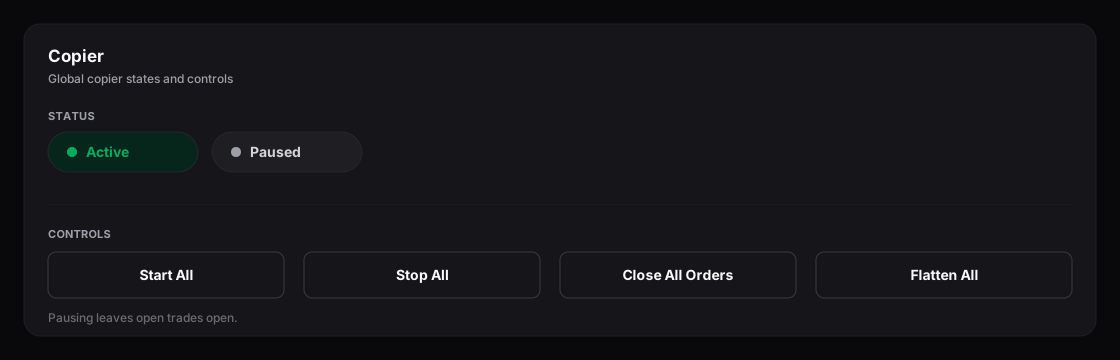
Copier states — Active and Paused, plus the global Start/Stop/Close/Flatten controls.
## The two states
| State | Behaviour |
| ---------- | ---------------------------------------------------------------------------------------------------------------------- |
| **Active** | The copier is running. New sender trades are copied to receivers in real time; sender closes and SL/TP changes follow. |
| **Paused** | No new trades are copied. Existing open positions on all accounts stay open and are yours to manage. |
A copier needs **at least one sender and one receiver** before it can be started. Until then, its status toggle is disabled.
## Automatic pausing
Trada pauses a copier on its own if something would make copying unsafe or impossible — for example a **billing issue** or a **disconnected account**. Existing open trades remain open; new trades simply aren't copied until you resolve the cause and start the copier again. Failed attempts are recorded in the [copier logs](/copy-trading/copier-logs.md).
[Risk protection](/copy-trading/configure-receiver/risk-protection.md) can also stop copying for a specific receiver when a threshold is reached, if you enable the **Stop Copier** action.
## Pausing and open trades
Pausing a copier does **not** close anything. Positions stay open on the sender and receivers, and you manage them manually. The same is true when you remove a sender or a receiver — open trades are left open.
## Global controls
On the **Copy Trading** list view, **Controls** exposes actions that apply across all copiers:
| Control | What it does |
| -------------------- | ---------------------------------------------------------------------------------- |
| **Start All** | Starts every paused, properly configured copier. |
| **Stop All** | Pauses every active copier. |
| **Close All Orders** | Closes all open positions across every account. Pending orders are left in place. |
| **Flatten All** | Closes all open positions **and** cancels all pending orders across every account. |
{% hint style="danger" %}
**Close All Orders** and **Flatten All** act on every connected account at once and cannot be undone. Both ask for confirmation first (with an optional "Do not ask again" for future use).
{% endhint %}
## Deleting a copier
Deleting a copier removes its configuration after a confirmation. Open trades on the sender and receivers **remain open** — flatten them first if you want them closed. See [Create a copier](/copy-trading/create-a-copier.md) for duplicate and delete actions.
## Related
* [Create a copier](/copy-trading/create-a-copier.md)
* [Risk protection](/copy-trading/configure-receiver/risk-protection.md)
* [Troubleshooting copiers](/copy-trading/troubleshooting.md)
---
# Agent Instructions
This documentation is published with GitBook. GitBook is the documentation platform designed so that both humans and AI agents can read, navigate, and reason over technical content effectively. Learn more at gitbook.com.
## Querying This Documentation
If you need additional information that is not directly available in this page, you can query the documentation dynamically by asking a question.
Perform an HTTP GET request on the current page URL with the `ask` query parameter, and the optional `goal` query parameter:
```
GET https://docs.trada.io/copy-trading/lifecycle.md?ask=&goal=
```
`ask` is the immediate question: it should be specific, self-contained, and written in natural language.
`goal` is optional and describes the broader end goal you are ultimately trying to accomplish on behalf of the user. GitBook uses it to tailor the answer towards what is most useful for that goal.
The response will contain a direct answer to the question and relevant excerpts and sources from the documentation.
Use this mechanism when the answer is not explicitly present in the current page, you need clarification or additional context, or you want to retrieve related documentation sections.