> For the complete documentation index, see [llms.txt](https://docs.trada.io/llms.txt). Markdown versions of documentation pages are available by appending `.md` to page URLs; this page is available as [Markdown](https://docs.trada.io/plans-and-billing/free-starter.md).
# Free Starter (partner unlock)
Qualifying funded traders get Starter features at no cost by connecting a partner account.
Connecting a qualifying account from a partnered prop firm or broker unlocks the full Starter feature set at $0. The unlock runs as a rolling 30-day subscription that renews automatically for as long as the account keeps meeting the criteria.
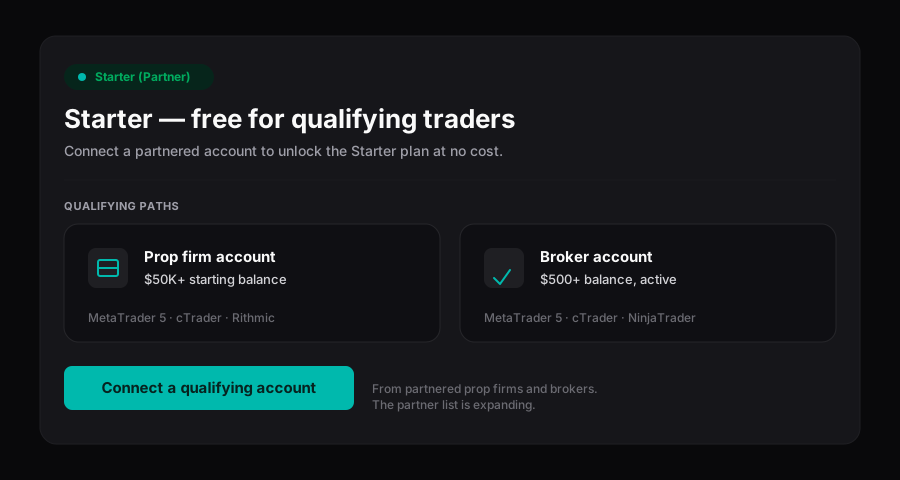
Free Starter — connect a qualifying partner account to unlock Starter at no cost.
## Understand what the unlock grants
The partner unlock is a growth path from **Free** to Starter without payment. It is not the standing $0 **Free** plan — it grants Starter limits and features, billed at $0.
| Item | Value |
| ------------------ | ------------------------------------------------- |
| Plan shown | **Starter (Partner)** |
| Price | $0 |
| Connected accounts | 5 |
| Copy setups | 1 |
| Support | Standard |
| Term | Rolling 30 days, auto-renewed while criteria hold |
| Yearly option | Not applicable |
{% hint style="info" %}
While the unlock is active your plan appears in **Billing** as **Starter (Partner)**. That label is how you confirm the unlock is applied — a plain **Starter** label means you are on the paid tier instead.
{% endhint %}
## Meet the qualifying criteria
The account you connect must come from a partnered firm or broker and clear the thresholds below. Trada does not name individual partners here — the partner list is maintained internally and is expanding, so an account that does not qualify today may qualify later.
| Account type | Requirement |
| ------------ | ---------------------------------------------------------------------------------------------------------------- |
| Prop firm | Connected from a partnered prop firm, **$50,000+** starting balance |
| Broker | Connected from a partnered broker, **$500+** balance, on a live server, with active trading (2+ trades per week) |
{% hint style="info" %}
Currency thresholds are evaluated in USD, the only currency Trada uses. Amounts on other-currency accounts are read in their USD equivalent.
{% endhint %}
## Connect a qualifying account
{% stepper %}
{% step %}
### Open Add Account
From **Accounts**, choose **Add Account** and select your platform. If you are at your Free plan limit, the tooltip offers **Add Partner Account** as the path to a free slot.
{% endstep %}
{% step %}
### Connect the account
Complete the connection for your platform. For OAuth platforms such as cTrader, this is a secure sign-in; for others, attach the credentials you set up beforehand. See [Connect partner accounts](/connecting-accounts/partner-accounts.md) for the full flow.
{% endstep %}
{% step %}
### Confirm the partner badge
Once the account is verified against the criteria, a **Partner** badge appears on it. Partner accounts are exempt from plan limits.
{% endstep %}
{% step %}
### Check your plan label
Open **Billing** and confirm the plan reads **Starter (Partner)** with a $0 next charge. Starter features are now active across your workspace.
{% endstep %}
{% endstepper %}
## Track renewal and expiry
The unlock starts when a qualifying account is connected and runs for 30 days. Near the end of each term Trada re-checks the account against the criteria:
* **Criteria still met** — the term auto-renews for another 30 days at $0.
* **Criteria no longer met** — the unlock ends at the close of the current term, and the plan reverts to **Free** limits (2 accounts, 1 copy setup). Accounts beyond the Free limit are disconnected, following the standard downgrade behaviour.
You can extend or reinforce the unlock by connecting additional qualifying partner accounts, so a single account dropping below criteria does not necessarily end the unlock.
{% hint style="info" %}
Renewal and expiry notices appear in-app only, under **Notifications** and the top-nav bell. Trada does not send email or push alerts.
{% endhint %}
## Move to a paid plan
If you need more than 5 accounts or a second copy setup, upgrade from **Billing**. Paid tiers add capacity and, on yearly billing, bonus accounts and setups. See [Upgrade and downgrade](/plans-and-billing/upgrade-downgrade.md) and [Add-ons](/plans-and-billing/add-ons.md) for capacity options.
{% hint style="warning" %}
Subscription cancellation is not self-service. To cancel a paid plan, contact support — the partner unlock itself simply lapses on its own when criteria stop being met.
{% endhint %}
## Related
* [Connect partner accounts](/connecting-accounts/partner-accounts.md)
* [Plans and billing overview](/plans-and-billing/plans-billing.md)
* [Upgrade and downgrade](/plans-and-billing/upgrade-downgrade.md)
* [Supported platforms](/connecting-accounts/supported-platforms.md)
---
# Agent Instructions
This documentation is published with GitBook. GitBook is the documentation platform designed so that both humans and AI agents can read, navigate, and reason over technical content effectively. Learn more at gitbook.com.
## Querying This Documentation
If you need additional information that is not directly available in this page, you can query the documentation dynamically by asking a question.
Perform an HTTP GET request on the current page URL with the `ask` query parameter, and the optional `goal` query parameter:
```
GET https://docs.trada.io/plans-and-billing/free-starter.md?ask=&goal=
```
`ask` is the immediate question: it should be specific, self-contained, and written in natural language.
`goal` is optional and describes the broader end goal you are ultimately trying to accomplish on behalf of the user. GitBook uses it to tailor the answer towards what is most useful for that goal.
The response will contain a direct answer to the question and relevant excerpts and sources from the documentation.
Use this mechanism when the answer is not explicitly present in the current page, you need clarification or additional context, or you want to retrieve related documentation sections.